
Sisteme ta Hotel POS eAfrika-Dzonga: Nkongomiso lowu heleleke wa 2026
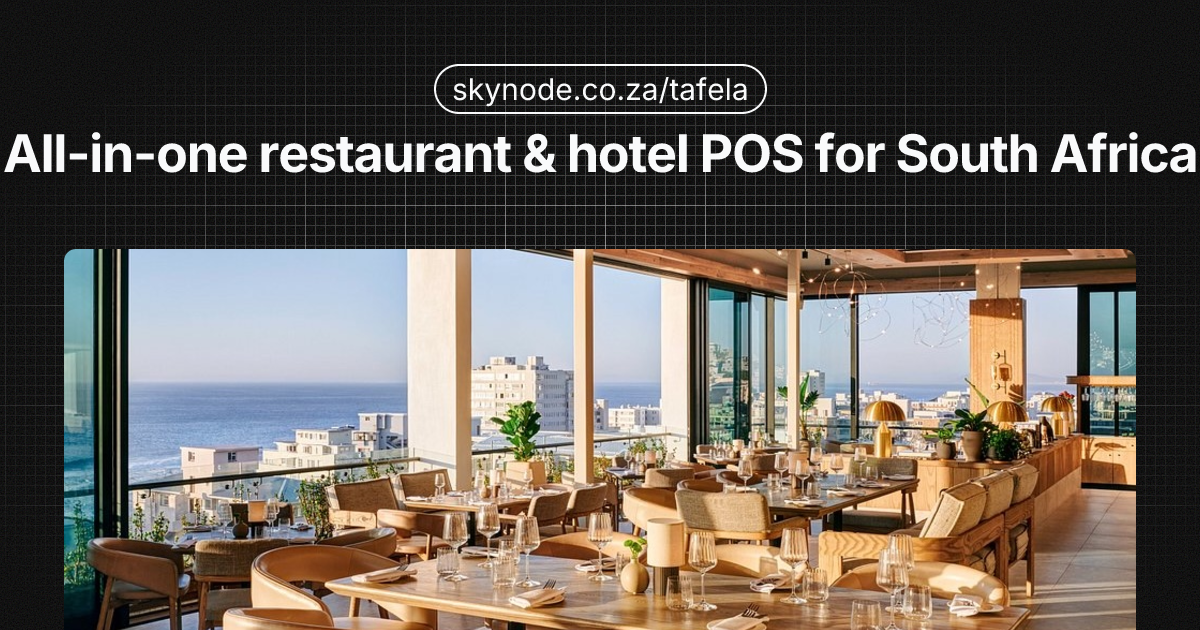
Ku fambisa F&B ku tsemakanya hotela , restaurant, bar, pool bar, room service, spa , swi tala ku vula ti tills leti nga hlanganisiwangiki, ku rhumeriwa hi voko ka swibalo eka tiakhawunti ta makamara, na ku vika leswi hlanganisaka mali leyi nghenaka ya makamara na swakudya na swakunwa. Loko vaendzi va langutele ku sayina swakudya swa ninhlikanhi ivi va swi vona eka xibalo xin’we loko va huma, xivandla xexo xi hundzuka ku pandza ka nhloko ka siku na siku ka ntirho ni ku khuluka ka margin. Xiyenge xa tihotela xa Afrika-Dzonga xi le ku pfuneni hi matimba (ku fika ka vaendzi ku fikelele 8.92 wa timiliyoni hi 2024, mali leyi nghenaka ya vutshamo yi tlakuke hi 12.1% lembe na lembe hi Dzivamisoko 2024), leswi endlaka leswaku ku kuma tisisiteme ta F&B kahle swi va swa nkoka swinene, ku nga ri ehansi. Sisiteme ya POS ya le hodela leyi hlanganisaka na sisiteme ya wena ya vulawuri bya nhundzu (PMS) i nkolo wa mali leyi nghenaka ya F&B, ku hakela vayeni, na matirhelo ya siku na siku. Nkongomiso lowu wu katsa leswaku hikokwalaho ka yini tihotela ti lava POS leyi tinyiketeleke, leswi u faneleke ku swi languta eka sisteme ya POS ya tihotela na POS ya tirhesiturente ta tihotela leyi nga na ku hlanganisiwa ka PMS, ndlela leyi makete wa Afrika-Dzonga wu vumbekaka ha yona hi 2026, na ndlela yo hlawula xitshunxo lexi faneleke eka ndhawu ya wena.
Ha Yini Tihotela Ti Lava Sisiteme Ya POS Leyi Tinyiketeleke
Restaurant leyi yimeke yi ri yoxe till yi nga tirha eka kamara ro dyela rin’we. Tihotela ti hambanile. U na tindhawu to tala to xavisa mali ehansi ka lwangu rin’we: ndhawu yo dyela leyikulu, baari, baari ya le swidziveni, vukorhokeri bya kamara, spa, baari leyitsongo, naswona minkarhi yin’wana ndhawu yo wisela eka yona kumbe ya khomferense. Xitolo xin’wana na xin’wana xi lava ku teka tioda, ku lulamisa tihakelo, na , hi ndlela ya nkoka , ku rhumela swibalo eka folio ya vaendzi leyi faneleke leswaku hinkwaswo swi humelela eka xibalo xin’we loko u huma.
Handle ka hotel POS system, u hetelela u ri na ti tills leti nga hlanganisiwangiki, ku posta hi manual ti charges ta F&B eka ti room accounts, ku nghena kambirhi, na ku vika leswi nga hambanisiki makamara na F&B. Sweswo swi hunguta vukorhokeri, swi engetela swihoxo naswona swi endla leswaku swi tika ku vona leswaku hi tihi tindhawu to xavisa leti vuyerisaka hakunene. POS ya hotela leyi tinyiketeleke yi ku nyika:
- Tindhawu to tala to xavisa mali , Sisiteme yin’we ku tsemakanya ndhawu yo dyela, baari, baari ya swidziva, vukorhokeri bya kamara, spa, na baari leyitsongo, laha ndhawu yin’wana na yin’wana yo xavisa yi landzelerisiweke hi ku hambana.
- Vuswikoti bya ku hakela ekamareni , Vaendzi va nga sayina eka F&B naswona va va na swibalo leswi rhumeriweke eka folio ya vona ya kamara leswaku va ta lulamisa hinkwaswo loko va huma.
- Ku hakela loku hlanganisiweke , Swibalo hinkwaswo (makamara, F&B, minibar, spa) swi humelela eka xibalo xin’we xa vaendzi, leswi antswisaka ntokoto wa vaendzi na ku hunguta ku holova ka le mahlweni ka desika.
- Ku vika ka F&B ku hambanile na makamara , Ku vika mali leyi nghenaka na ntsengo hi ndhawu yo xavisa, nkarhi wa swakudya, na xiyenge, leswaku u ta kota ku lawula ntsengo wa swakudya na vatirhi handle ko hlanganisa eka mali leyi nghenaka ya vutshamo.
- Ntokoto wa vaendzi , Vukorhokeri byo hatlisa, lebyi kongomeke: vatirhi va nga languta muendzi hi nomboro ya kamara, va rhumela swibalo hi nkarhi wa xiviri, naswona va papalata ku vuyelelana hi voko eku heleni ka vusiku.
Loko u pimanisa swihlawulekisi, ku pimanisa ka hina ka POS ya le resturant ya kahle swinene yi katsa swihlawulekisi swa POS hi ku angarhela; swiyenge leswi nga laha hansi swi kongomisa eka leswi endlaka leswaku POS yi lunghekele hotela hakunene.
Swihlawulekisi swa nkoka swa Sisiteme ya POS ya le Hotela
A hi fambiselo rin’wana ni rin’wana ra tindhawu to xavisa leri akiweke leswaku ri amukela vaendzi. sisiteme ya POS ya le hotela yi fanele ku nyika leswi landzelaka.
Ku hlanganisiwa ka PMS (ku fambisana ka tindlela timbirhi) .
POS yi fanele ku hlanganisa na sisiteme ya wena ya vulawuri bya nhundzu. Data ya vaendzi (vito, nomboro ya kamara, folio) yi khuluka ku suka eka PMS ku ya eka POS leswaku vatirhi va ta kota ku hakela eka kamara leri faneleke. Tihakelo ta F&B ti khulukela endzhaku kusuka eka POS kuya eka folio ya vayeni hikokwalaho ti humelela eka mali yo hetelela. Handle ka ku fambisana loku ka tindlela timbirhi, u tlhela u nghenisa data kumbe u fambisa ku layicha ka ntlawa , naswona u nghenisa swihoxo ekhombyeni na ku hlwela.
Ku hakela-ku-ya-eka-kamareni (poso swibalo swa F&B eka folio ya vaendzi)
Vaendzi va langutele ku sayina swakudya swa ninhlikanhi kumbe xirhendzevutana xa swakunwa ivi swi engeteriwa ekamareni ra vona. POS yi fanele ku ku pfumelela ku hlawula kamara (kumbe vito ra muendzi), u engetela swilo, ivi u veka ntsengo hinkwawo eka folio. Xibalo xi fanele ku humelela eka PMS hi ku hatlisa (kumbe eka ntlawa lowu hlamuseriweke) leswaku ku huma ku kombisa matirhiselo hinkwawo ya mali ya F&B. Vaendzi va mabindzu ni mintlawa hakanyingi va lava mali yin’we leyi hlanganisiweke; charge-to-room i ndlela leyi u yisaka sweswo ha yona.
Vulawuri bya switolo swo tala
Endlelo rin’we, tindhawu to xavisa to tala. U nga ha va na Restaurant, Bar, Pool Bar, Room Service, na Spa tanihi tisenthara to nghenisa mali leti hambaneke. Sisiteme ya POS ya le hotela yi fanele ku ku pfumelela ku avela theminali yin’wana na yin’wana kumbe xitichi eka ndhawu yo xavisa, ku landzelela ku xavisiwa hi ndhawu yo xavisa, na ku fambisa swiviko hi ndhawu yo xavisa na hi nkarhi wa swakudya (swakudya swa nimixo, swa ninhlikanhi, swa nimadyambu). Hi ndlela yoleyo u tiva leswaku hi swihi swiphemu swa ntirho wa wena wa F&B leswi chayelaka margin.
Vulawuri bya tafula na oda
Eka restaurant na bar, u lava ku endla mepe wa tafula, course firing (starters vs mains), modifiers, na ti split bills. Mafambelo ya ntirho ya fanele ku seketela vukorhokeri bya tafula na vukorhokeri bya xihlawuhlawu xa xihatla laha swi faneleke (e.g. pool bar). Tindhawu tin’wana ti tlhela ti lava ntirho wa vukorhokeri bya kamara: oda leyi tekiweke, yi rhumeriwa ekhixini, yi yisiwa ekamareni, ivi yi rhumeriwa eka folio , hinkwaswo swi huma eka sisiteme yin’we kumbe swi hlanganisiwile swinene na yona.
Sisiteme yo kombisa khixi (KDS) .
Endlelo ro kombisa swilo ekhixini ri siva mathikithi ya maphepha hi xikirini lexi nga ekhixini. Tioda ti humelela hi ku landzelelana na swihundzuluxi na nkarhi. Eka tihotela leti nga na swifunengeto swa le henhla kumbe minkarhi yo tala ya swakudya, KDS yi hunguta swihoxo naswona yi hatlisisa minkarhi ya mathikithi. Hi hlanganisa ku vekiwa na swihlawulekisi eka Nkongomiso wa KDS wa tirhesiturente ta Afrika-Dzonga; misinya ya milawu leyi fanaka ya tirha eka tikhixi ta le tihotela.
Ku endla ti-invoice leti fambisanaka na SARS
Tihotela ta Afrika-Dzonga ti fanele ku humesa ti-invoice ta xibalo leti fambisanaka na SARS. Vaendzi va mabindzu na tikhamphani hakanyingi va lava vutshunguri lebyi faneleke bya VAT na maendlelo ya invoice eka ku landzelela ka vona vini. Sisiteme ya wena ya POS ya le hotela yi fanele ku seketela nxavo lowu katsaka VAT, xivumbeko lexinene xa invoyisi ya xibalo, naswona hi ndlela leyinene yi hlanganisa na maendlelo ya wena ya ntirho wa xibalo kumbe eFiling. Ku kuma vuxokoxoko, vona swilaveko swa hina swa ku endla ti-invoice eka tirhesiturente , milawu leyi fanaka ya tirha eka F&B.
Ku cinca-cinca ka hakelo
Vaendzi va hakela hi khadi, SnapScan, Zapper, PayShap, na mali. POS yi fanele ku seketela tindlela to tala to hakela na vaphakeri vo tala (e.g. Yoco, iKhokha) leswaku u nga pfaleriwa eka khadi rin’we ra mpimo. Ku hakela hi ku avanyisa , xiphemu ku ya eka kamara, xiphemu ku ya eka khadi , swi tolovelekile etihotela naswona swi fanele ku kongoma. Ku pimanisa vaphakeri vambirhi va makhadi lava dumeke eka vuyeni, vona Yoco vs iKhokha for restaurants.
Ku vika na vuxopaxopi
U lava swiviko hi ku ya hi ndhawu yo xavisa, hi nkarhi wa swakudya, hi xiyenge, na hi muxaka wa hakelo. Ku vika ka ntsengo wa swakudya na COGS swi ku pfuna ku lawula margin; ku kuma ku langutisisa loku dzikeke eka ku lawula ntsengo, vona ku lawula ntsengo wa swakudya eka tirhesiturente ta Afrika-Dzonga. Swiviko swa vatirhi swi pfuneta eka ku vekiwa ka nxaxamelo. Tisisiteme ta kahle ta hotel POS ti nyika tidashboard leti hlanganisaka F&B na, laha swi faneleke, datha ya PMS ya xiyimo xa le henhla leswaku ti GM na vafambisi va F&B va va na ndhawu yin’we yo vona matirhelo.
Ku Hlanganisiwa ka PMS: Leswi U Nga Swi Langutaka
Hotel restaurant POS na PMS integration swi vula leswaku POS na PMS va vulavula. Hi leswi sweswo swi vulaka swona hi ku tirhisa.
Leswi ku hlanganisiwa ka PMS swi vulaka swona
- Data ya vaendzi eka POS , Loko muendzi a nghena, vito ra yena na nomboro ya kamara swa kumeka eka POS. Vatirhi va nga hlawula “Charge to room 204” va posta F&B handle ko thayipa vuxokoxoko bya vaendzi nakambe.
- Tihakelo eka folio , Ku xavisiwa ku suka eka poso ya POS ku ya eka folio ya vaendzi leyi faneleke eka PMS. Loko u huma, desika ra le mahlweni ri vona makamara + F&B + swibalo swin’wana leswi rhumeriweke endhawini yin’we.
- Two-way sync , Swipfuxeto swi khuluka hi tindlela timbirhi: xiyimo xa kamara na vuxokoxoko bya vaendzi ku suka eka PMS ku ya eka POS; F&B (naswona hi ku hlawula swin’wana) swibalo ku suka eka POS ku ya eka PMS.
Tisisiteme ta nkoka ta PMS eAfrika-Dzonga
Loko u kambela sisiteme ya POS ya le hotela, languta loko yi hlangana na PMS leyi se u yi tirhisaka kumbe leyi u kunguhataka ku yi tirhisa. Maendlelo lama tolovelekeke eka makete wa Afrika-Dzonga ya katsa:
- Opera (Oracle Hospitality) , Yi tirhisiwa ngopfu eka tindhawu ta xiyimo xa le henhla na ta tikhetane; swintshuxo swo tala swa POS swa mabindzu (e.g. Micros) swi hlanganisa hi ndlela ya ntumbuluko.
- Protel , Yi dume ngopfu eka tihotela ta le xikarhi na leti tiyimeleke eSA.
- Mews , Cloud PMS leyi nga na footprint leyi kulaka eka SA na API yo tiya ya ku hlanganisiwa.
- RoomRaccoon , PMS leyi simekiweke eka mapapa leyi tirhisiwaka hi tindhawu to tala letitsongo na tindlu ta vaendzi.
- NightsBridge , Mufambisi wa tichanele na njhini yo bukuta; minkarhi yin’wana yi tirhisiwa etlhelo ka PMS ku hangalasiwa.
A hi POS yin’wana na yin’wana leyi hlanganisaka na PMS yin’wana na yin’wana. Loko uri eka Opera, u ta tala ku kongomisiwa eka Oracle/Micros kumbe mutirhisani loyi a tiyisisiweke. Loko u ri eka Mews, RoomRaccoon, kumbe PMS leyitsongo, lava POS leyi nyikaka API kumbe ku hlanganisiwa loku tsariweke leswaku swibalo swi ta kota ku posta eka folio.
Ku fambisana ka tindlela timbirhi hi ku tirhisa
- POS → PMS: Ku xavisiwa ka F&B ku ringiwa, ku hlanganisiwa na kamara ra 204, naswona ku rhumeriwile. Folio ya PMS yi kombisa nchumu wa layini (e.g. “Restaurant – Lunch – R450”) na ku pfuxetiwa ka balance ya folio.
- PMS → POS: Nxaxamelo wa vaendzi na tinomboro ta makamara swa kumeka eka POS leswaku vatirhi va ta kota ku hlawula muyeni loyi a faneleke. Loko muendzi a huma ka ha ri na nkarhi, PMS yi nga (ku ya hi setup) yi sivela swibalo leswintshwa eka kamara rero kutani yi fungha folio tanihi leyi pfalekeke.
Nkarhi wa xiviri vs ku rhumela hi ntlawa
Ku hlanganisiwa kun’wana ku posta swibalo hi nkarhi wa xiviri (hi ku hatlisa loko oda yi lulamisiwile); van’wana va tirhisa batch posting (e.g. ku hela ka shift kumbe vusiku hinkwabyo). Nkarhi wa xiviri wu hlayisa folio yi ri ya nkarhi wa sweswi naswona yi hunguta swihoxo swa ku rhumela; batch posting swinga vula ku hlwela loko F&B yinga se kombisa eka bill. Hlamusela loko desika ra le mahlweni ri nga vona swibalo swa POS leswi yimeleke ku nga si hetisisa ku huma leswaku u ta kota ku khoma folio ku kondza swibalo swo hetelela swi nghena.
Hotel POS vs Restaurant POS: Xana Ku Hambanile Yini?
POS ya restaurant yi akiwile hi nchumu wun’we: teka order, teka payment, kumbexana split bill. sisiteme ya POS ya le hotela yi engetela leyara ya muyeni na folio: ku hakela eka kamara, multi-outlet, na ku hlanganisiwa ka PMS. Tafula leri nga laha hansi ri katsakanya ku hambana lokukulu.
| Xivumbeko xa | POS ya ndhawu yo dyela eka yona | Hotel POS |
|---|---|---|
| Charge ku ya ekamareni | Hi ntolovelo a ku na | Ina , posta eka folio ya vaendzi |
| Swilo swo xavisa swo tala | Minkarhi yin’wana (tindzhawu to tala) | Ina , ndhawu yo dyela, baari, xidziva, vukorhokeri bya kamara, spa |
| Tiprofayile ta vaendzi | Hi ntolovelo a ku na | Ina , xihlanganisi xa muyeni/kamara ra PMS |
| Ku hakela ka mabindzu | Ku ringaniseriwa | Hakanyingi , xibalo lexi hlanganisiweke, invoyisi ya xibalo |
| Ntirho wa vukorhokeri bya kamara | A hi standard | Ina , oda ku ya ekamareni, poso eka folio |
| Ku hlanganisiwa ka PMS | Swi nga tolovelekanga | Xilaveko xa nkoka |
standalone restaurant POS yi nga tirha ehotela loko u tiyimisele ku rhumela swibalo hi voko eka PMS kumbe ku fambisa F&B yo hambana na ku vika makamara. Kambe hi ku hatlisa loko u ri na ku tlula ndhawu yin’we yo xavisa ya F&B, vukorhokeri bya kamara bya nkoka, kumbe vaendzi va nhlangano lava languteleke xibalo xin’we, POS ya hodela leyi tinyiketeleke (kumbe POS ya ndhawu yo dyela leyi nyikaka POS ya ndhawu yo dyela ya le hotela leyi faneleke leyi nga na ku hlanganisiwa ka PMS) yi ta hlayisa nkarhi, yi hunguta swihoxo, na ku antswisa ntokoto wa vaendzi. Loko u nga tiyiseki leswaku u nga sungula kwihi, ku pimanisa ka hina ka POS ya le restoran leyinene ku katsa swihlawulekisi leswi tirhelaka tirhesiturente na tihotela.
Makete wa Tihotela wa Afrika Dzonga hi lembe ra 2026
Ku twisisa makete swiku pfuna ku lulamisa naku rhangisa vuvekisi bya thekinoloji. Tinhlayo ti vula xitori lexi nga erivaleni xa ku hola na ku kula.
Ku vuyiseriwa ka vupfhumba na vutshamo
- Ku fika ka vaendzi: 8.92 wa timiliyoni hi 2024 (+5.1% vs 2023).
- Muholo wa vutshamo: +12.1% lembe na lembe (December 2024), +11.8% eka Q4 2024 hi ku angarhela.
- Tihotela: +13.6% ku kula, ku hoxa xandla hi 8.1 wa tiphesente eka ku tlakuka hinkwako.
- Ntirho wa vupfhumba: Wu hoxa xandla hi kwalomu ka 8.8% wa GDP na ku ringanyetiwa ka 1.68 wa timiliyoni ta mintirho yo kongoma na leyi nga kongomangiki. Hi 2034, swiringanyeto swi ringanyeta leswaku vupfhumba byi nga hoxa xandla eka 10.8% wa GDP na ku engetela kwalomu ka 720,000 wa mintirho.
Matirhelo ya xifundzha
- Cape Town yi vile na nguva ya nkhuvo leyi nga tshoveka rhekhodo, laha ku nga na xilaveko lexikulu na ku tshama ka vanhu vo tala.
- Durban yi vonile ku tshama ehansi ka 50% eka nkarhi lowu fanaka, leswi kombisaka ku vuyiseriwa loku nga ringaniki na xilaveko xa tindhawu ku phikizana hi ntokoto na vukorhokeri.
Ku avana koloko ku tiyisisa leswaku hikokwalaho ka yini thekinoloji yi ri ya nkoka: tindhawu leti tisaka ku hakela ka F&B loku kongomeke na ntokoto wa vaendzi lowu rhetaka ti vekiwile ku antswa ku khoma xilaveko eka timakete leti tiyeke na ku hambana eka leti tikaka.
Masungulo lamantshwa ya tivhisa na makete
- Vhisa ya ntirho wa le kule , Afrika-Dzonga ri nghenise vhisa ya ntirho wa le kule, ku koka rinoko ra vaendzi va matiko ya misava lava tshamaka nkarhi wo leha lava talaka ku tirhisa F&B na switirhisiwa ku tlula vapfhumba lava tshamaka nkarhi wo koma.
- Digital Trusted Tour Operator Scheme , Yi kongomisiwile eka timakete to fana na India na China, leswi endlaka leswaku swi olova eka mintlawa ya vaendzi ku endzela. Bindzu ra ntlawa ri tala ku vula nkhuvo, timenyu leti vekiweke, na ku hakela loku hlanganisiweke , tindhawu hinkwato laha sisiteme ya POS ya le hodela leyi nga na ku vika ku hakela ekamareni na ku xavisa ko tala yi hakelaka kona.
Timakete ta niche
Swiyenge swa vulovolovo, vuhlayiseki ni swa vuhungasi swi ya emahlweni swi kula. Swiyenge leswi switala ku kandziyisa F&B (restaurant, bar, in-room dining, spa) na vukorhokeri lebyi endleriweke munhu hi xiyexe. POS leyi hlanganisaka na PMS naswona yi seketelaka ti outlets to tala yi ku pfuna ku fambisa matirhelo lawa handle ka ti siled tills na manual posting.
Ku vekisa eka hotela POS system sweswi , loko indasitiri yi ri karhi yi kula naswona ku langutela ka vaendzi ku ri karhi ku tlakuka , swi ku veka eka xiyimo xo khoma mali yo tala ya F&B na ku fambisa ndhawu ya wena hi admin yitsongo na swihoxo switsongo.
Ku hlawula POS ya Hotela leyi Faneleke eka Nhundzu ya Wena
Tirhisa rimba ro olova ra xiboho loko u pimanisa swihlawulekisi.
Vukulu bya nhundzu
- Boutique / leyintsongo (e.g. 10–30 wa makamara): U nga ha lava ntsena ndhawu yin’we kumbe timbirhi to xavisa F&B (restaurant + bar). POS ya hodela leyi nga na ku hlanganisiwa ka PMS na ku hakela-ku-ya-eka-kamareni swi nga ha va swi ringanerile handle ka ku cinca-cinca ka xiyimo xa bindzu.
- Vukulu bya le xikarhi / bya vukorhokeri hinkwabyo (e.g. 50–150 wa makamara): Switolo swo tala swo xavisa (restaurant, bar, pool, room service) swi tolovelekile. Languta vufambisi byo tiya bya switolo swo tala, KDS, na ku vika hi switolo.
- Chain / large: Hakanyingi se eka Opera na Micros kumbe swin’wana swo fana na swona. Loko u nga ri tano, u lava POS leyi ringanaka eka tisayiti hinkwato naswona yi hlanganisa na PMS leyi u yi hlawuleke.
Nhlayo ya tindhawu to xavisa ta F&B
Loko u ri na tindhawu to tala to xavisa, i swa nkoka swinene ku va na sisiteme yin’we leyi nga na xiavelo xa vuxavisi lexi nga erivaleni na ku vika loku hlanganisiweke. Separate tills per outlet leyi nga vulavuli na PMS swi endla leswaku ku va na swivandla swa ntirho wa mavoko na ku vika.
PMS se yi tirhisiwa
Sisiteme ya wena ya POS ya le hotela yi fanele ku hlangana na PMS ya wena ya sweswi (kumbe leyi kunguhatiweke). Loko u ri eka Opera, languta POS leyi tiyisisiweke hi Opera kumbe leyi fambisanaka. Loko u ri eka Mews, RoomRaccoon, kumbe PMS yin’wana ya le mapapa, lava ku hlanganisiwa loku sekeriweke eka API kumbe loku tsariweke. U nga ehleketi leswaku POS yin’wana na yin’wana yi tirha na PMS yin’wana na yin’wana.
Mpimanyeto
Minxavo ya POS ya tihotela yi sukela eka madzana ma nga ri mangani ya tirhandi hi n’hweti eka tisisiteme ta le mapapa leti nga na ku hlanganisiwa loku nga nyawuriki ku ya eka swipfumelelano swa mabindzu ya ntolovelo. Hlamusela mpimanyeto wa wena na ku pimanisa ntsengo hinkwawo: software, hardware (loko yi ri kona), ku lulamisiwa ka hakelo, na nseketelo. Minxavo ya n’hweti na n’hweti leyi nga erivaleni (e.g. R999/n’hweti eka sete ya swihlawulekisi leyi hlamuseriweke) swa olova ku yi pulana ku tlula nxavo wa bindzu lowu nga vonakiki wa “tihlanganise na hina”.
Mode ya le handle ka inthanete (ku halata ndzhwalo) .
Tindhawu ta Afrika-Dzonga ti langutane na ku hunguteka ka ndzhwalo na ku hunguteka ka vuhlanganisi. POS leyi tirhaka offline , ku teka ti oda na tihakelo na ku fambisana loko gezi na inthanete swi vuya , yi hlayisa ku xaviselana ka F&B loko giridi yi tsandzeka. Ku kuma swo tala hi ku tshama u ri karhi u tirha hi nkarhi wa ku yimisiwa ka ntirho, vona xiletelo xa hina xo hunguta ndzhwalo wa tirhesiturente; misinya ya milawu leyi fanaka ya tirha eka F&B ya le tihotela.
Nseketelo wa ndhawu
Loko nchumu wo karhi wu nga fambi kahle hi 7 p.m. eresturant, u lava nseketelo lowu twisisaka setup ya wena naswona wu nga hlamulaka eka ndhawu ya wena ya nkarhi. Hlawula vaxavisi lava nyikaka nseketelo wa laha kaya (wa Afrika Dzonga) na, laha swi kotekaka, vufambisi bya akhawunti lebyi tinyiketeleke eka tindhawu to xavisa to tala kumbe tikheteni.
Swihlawulekisi swa POS ya Tihotela eAfrika-Dzonga
Laha hansi ku na nkatsakanyo wo koma wa swihlawulekisi leswi fambelanaka na tihotela ta Afrika Dzonga. Minxavo na swihlawulekisi swa cinca; tiyisisa na muxavisi un’wana na un’wana u nga si tinyiketela.
Micros / Xihlamusela-marito
Ku vekiwa ka xiyimo: POS ya hotela ya mabindzu, leyi talaka ku tirhisiwa na Opera (Oracle PMS).
Ku tirhisiwa loku tolovelekeke: Swihlawulekisi leswikulu na swa tikhetane leswi se swi tirhisaka Opera. Madzana ya ku hlanganisiwa (PMS, ku hakela, hofisi ya le ndzhaku). Minxavo ya ntolovelo na ku tirhisiwa; swi fanerile eka tindhawu leti nga na IT leyi tinyiketeleke kumbe nseketelo wa vaxavisi.
Ehleketa: Yi tiyile eka matirhelo lamakulu, lama rharhanganeke; hakanyingi swi tlula mpimo naswona swa durha eka tihotela letitsongo kumbe ta le xikarhi leti tiyimeleke.
Tafela Swivandla swo Tala (Skynode) .
Ku vekiwa ka xiyimo: Ku ringanela hotel POS system na hotel restaurant POS na PMS integration, leyi akiweke eka makete wa Afrika Dzonga.
Swilo swa nkoka:
- R999/n’hweti Pulani ya Tindhawu to Tala leyi nga na ku hlanganisiwa ka PMS ya tihotela, titheminali leti nga riki na swipimelo, na vufambisi bya tindhawu to tala.
- Ku hlanganisiwa ka PMS ka ku hakela-ku-ya-eka-kamareni na ku rhumela folio (ku fambisana na tipulatifomo ta PMS leti hlawuriweke; tiyisisa na Skynode eka sisiteme ya wena).
- Multi-outlet , Fambisa ndhawu yo dyela, baari, baari ya swidziva, vukorhokeri bya kamara ku suka eka sisiteme yin’we na ku vika hi ndhawu yo xavisa.
- Mfikelelo wa API eka ku hlanganisiwa ka ntolovelo na ku vika.
- Sage/Xero sync ya xibalo.
- Mufambisi wa akhawunti loyi a tinyiketeleke eka Multi-Site.
- Offline mode , Tshama u ri karhi u xaviselana hi nkarhi wa load-shedding; data yi fambisana loko vuhlanganisi byi vuya.
- Vaphakeri va hakelo va laha kaya , Yi tirha na Yoco, iKhokha, PayShap, na tindlela tin’wana to hakela ta Afrika-Dzonga.
Ehleketa: Ku ringanela loku tiyeke eka tihotela leti tiyimeleke, tindlu ta vaendzi, na tikheteni letitsongo leti lavaka ku hlanganisiwa ka PMS na ku xavisa ko tala handle ka nxavo wa mabindzu. Tafela i xitirhisiwa xa POS xa Skynode; pulani ya Tindhawu to Tala hi yona leyi katsaka ku hlanganisiwa ka PMS ya tihotela.
GAAP POS ya xirhendzevutani
Positioning: Cloud POS leyi nga na swihlawulekisi swo ti tirhela na swa vukorhokeri hinkwabyo.
Ku tirhisiwa loku tolovelekeke: Tiresturente na tindhawu tin’wana to amukela vaendzi. Ku hlanganisiwa na PMS ya le hodela swi nga ha titshega hi PMS ya wena; swi fanerile ku tiyisisiwa loko u lava ku hakela-eka-kamareni na ku rhumeriwa ka folio.
POS ya xihahampfhuka
Ku vekiwa ka xiyimo: POS leyi kongomisiweke eka tirhesiturente.
Ku tirhisiwa loku tolovelekeke: Tiresturente na tikhefi. Swi nga cinciwa eka swiyimo swin’wana swa F&B swa le hodela, kambe ku hakela-ku-ya-eka-kamareni na ku hlanganisiwa loku dzikeke ka PMS a hi swona leswi yi swi kongomisaka ngopfu. Swi lulamerile eka tindhawu leti fambisaka F&B ngopfu ku fana na ndhawu yo dyela leyi tiyimeleke naswona yi rhumela eka PMS hi voko kumbe hi ku tirhisa ku rhumela ematikweni mambe.
--- .
Swivutiso leswi talaka ku vutisiwa
Xana charge-to-room i yini?
Charge-to-room swi vula leswaku muyeni a nga sayina eka F&B ivi a va na mali leyi nga rhumeriwa eka folio ya yena ya kamara ematshan’wini yo hakela eka till; loko va huma va lulamisa folio leyi heleleke hi nkarhi wun’we. Sisiteme ya POS ya le hodela leyi nga na ku hlanganisiwa ka PMS yi rhumela ku xavisiwa ka F&B ku suka eka POS ku ya eka akhawunti ya vaendzi leyi faneleke eka PMS.
Xana ndzi nga tirhisa POS ya restaurant ehotela?
U nga swi kota, kambe hi swipimelo. POS ya le restoran a yi tali ku posta eka folio ya vaendzi kumbe ku hlanganisa na PMS. U ta fambisa F&B hi ku hambana kumbe hi voko u rhumela swibalo , swi tala ku endla swihoxo naswona swi dya nkarhi hi tindhawu to tala to xavisa kumbe vukorhokeri bya kamara. Eka ku tlula ndhawu yin’we yo xavisa ya F&B kumbe xilaveko xa nkoka xa ku hakela eka kamara, POS ya hodela (kumbe POS ya le resturant leyi nga na POS ya ndhawu yo dyela ya le hotela leyi nga na ku hlanganisiwa ka PMS) i xihlawuhlawu xo antswa.
Hi tihi tisisiteme ta PMS leti hlanganisaka na POS ya le hotela?
Tisisiteme ta PMS leti tolovelekeke eAfrika-Dzonga leti nga na ku hlanganisiwa ka POS kumbe vatirhisani va API ti katsa Opera (Oracle), Protel, Mews, RoomRaccoon, na NightsBridge. Loko u xaxameta sisiteme ya POS ya le hotela, vutisa: “Xana u hlanganisa na [PMS ya wena], naswona ku rhumela swibalo swi tirha njhani (nkarhi wa xiviri vs ntlawa)?”
Xana sisiteme ya POS ya le hotela yi durha mali muni eAfrika-Dzonga?
Cloud POS leyi nga na masungulo ya multi-outlet na ku hlanganisiwa ka PMS yo hlawula yi nga sungula ku suka eka R500–R1,000/n’hweti; swintshuxo swa le xikarhi ka makete swi nga va R1,500–R3,000/n’hweti kumbe ku tlula. Enterprise (e.g. Micros/Oracle) hi ntolovelo yi xavisiwa hi ku landza swilaveko swa wena. Factor eka hardware, ku lulamisiwa ka ku hakela, na nseketelo. Minxavo ya n’hweti na n’hweti leyi nga erivaleni (e.g. Tafela Multi-Site hi R999/n’hweti leyi nga na ku hlanganisiwa ka PMS ya tihotela na titheminali leti nga riki na swipimelo) swi endla leswaku ku vekiwa ka mpimanyeto swi olova.
Xana ndzi lava KDS loko ndzi ri na POS ya le hotela?
A hi ndzhawu yin’wana na yin’wana leyi lavaka yin’we, kambe sisiteme yo kombisa ya khixi yi pfuneta laha khixi ri endlaka volume leyi nga na nhlamuselo , yi hunguta swihoxo na ku hatlisisa minkarhi ya mathikithi. Ku kuma swo tala hi mimbuyelo ya KDS na ku vekiwa, vona Nkongomiso wa KDS wa tirhesiturente ta Afrika-Dzonga ya hina.
--- .
Mahetelelo
Sekithara ya tihotela ya Afrika-Dzonga yi le ku pfuneni hi matimba , 8.92 wa timiliyoni ta vapfhumba lava fikeke hi 2024, muholo wa vutshamo wu tlakuke hi 12.1% lembe na lembe, naswona vupfhumba byi vekiwile ku hoxa xandla swinene eka GDP na mitirho hi 2034. Hi ku kula koloko, matirhelo ya F&B ya va ya rharhangana swinene: tindhawu to xavisa to tala, ku hakela ekamareni, na ku hakela folio hi ku kongoma a swa ha ri swa ku hlawula. sisiteme ya POS ya le hotela leyi hlanganisaka na PMS ya wena yi ku nyika sisiteme yin’we ya ndhawu yo dyela, baari, baari ya swidziva, vukorhokeri bya kamara, na spa; ku rhumeriwa ka nkarhi wa xiviri kumbe loku tshembekaka eka folio ya vaendzi; na ku vika leswi hambanisaka F&B na makamara leswaku u ta kota ku lawula ntsengo na mali leyi nghenaka hi ndlela leyinene.
Loko u kambela swihlawulekisi, rhangisa emahlweni ku hlanganisiwa ka PMS, ku hakela ku ya ekamareni, vulawuri bya swihumesi swo tala, ku endla ti-invoice loku fambisanaka na SARS, na vuswikoti bya le handle ka inthanete eka ku khuluka ka ndzhwalo. Fanisa xitshunxo na vukulu bya nhundzu ya wena, nhlayo ya switolo, na mpimanyeto , naswona u tsakela vaxavisi lava nyikaka nseketelo wa laha kaya na nxavo lowu nga erivaleni.
Vona ndlela leyi Tafela yi hlayisaka swibalo swa wena swa F&B swi ri karhi swi posta eka folio na ti outlets ta wena ti vika eka ndhawu yin’we , hambi hi nkarhi wa load-shedding. Ringeta Tafela ya ku hlanganisiwa ka PMS ya le hodela, titheminali leti nga riki na swipimelo, na vufambisi bya switolo swo tala ku sukela eka R999/n’hweti.
Yi tsariwile hi
Tafela Team