
CMMS ndi mini? Thaluso yo Fhelelaho ya Maiteko a Afrika Tshipembe
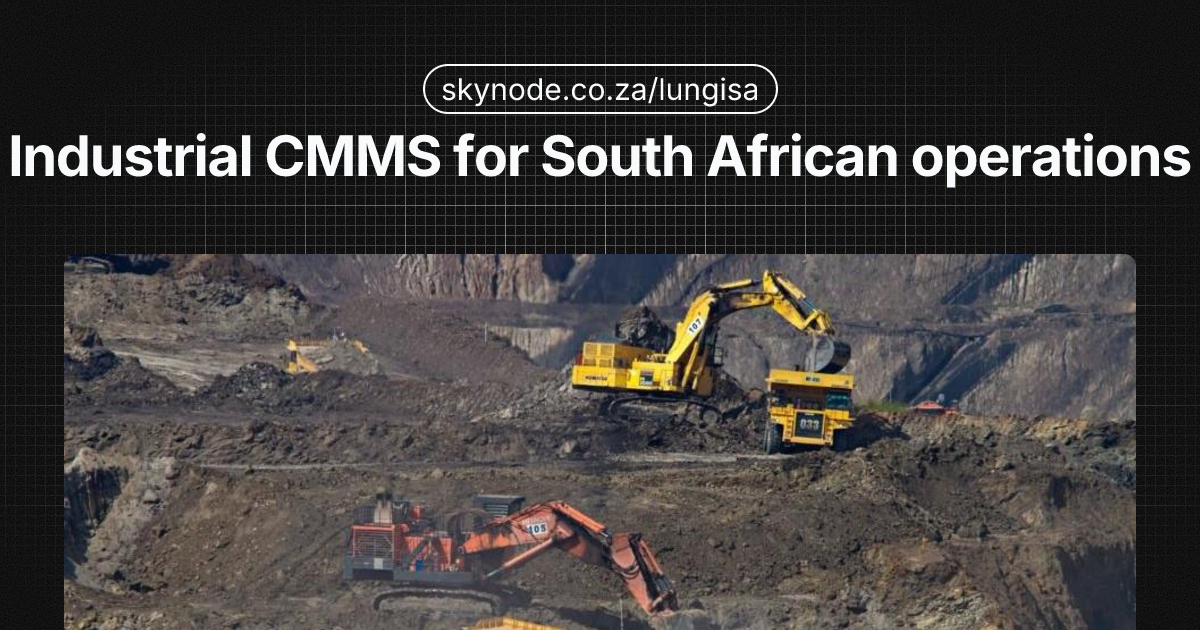
U pambula u si laediwe u vhea migodi na mafekitori a Afrika Tshipembe tshifhinga tshi re na tshikalo tsha u fhira u bviswa ha vhuimo. U vusa tshifhinga tsha u shuma tsho fhira, u laula dzo bveledzwa dza zwipida, na, musi maimelelo a u khwaṱhisa a sa vho kha a fhelela, a vhea maiteko kha tshiimo tsha OHS Act na Mulayo wa Vhulamukanyi na Vhutshilo ha Migodi (MHSA). U thivhelwa ha Section 54 kana u wanwa ha u tendelana u nga vhea maanda maḓana na u onya vhudzuloni. CMMS ndi mini kha tshimo tshee? Ndi tshishumiswa tsha dijithari tsha u sedza makaraḓi a mushumo wa pampiri, spreadsheet dza Excel, na ndivho ya foreman nga tshinzhi tsha u laula, u laula, u laula, na u sumbedza u khwaṱhisa.
CMMS, kana tshishumiswa tsha u laula u khwaṱhisa tsha khombyutha, ndi sofuthweire ya u thusa u laula, u laula, u laula, na u bikedza mushumo wa u khwaṱhisa. I vhea kha tshiimo maoda a mushumo, mbili dza aseiti, zwipida zwa spare, na maimelelo a u tendelana. Kha mabindu a Afrika Tshipembe a talusi load-shedding, milayo ya vhulamukanyi, na tshikalo u fokodza tshifhinga tshi si laediwe na tshigego, CMMS ndi muhulo wa nga maiteko a u khwaṱhisa. Thaluso iyi i talusa uri CMMS ndi mini, i shuma hani, vhani vha i vha vha tea, na u nanga sofuthweire ya u laula u khwaṱhisa yo tendelaho tshimo tsha Afrika Tshipembe, u bva kha migodi ya gauta kha Gauteng u ya kha fekitori ya zwilia kha KwaZulu-Natal, na u bva kha tshimo tshi tee u ya kha maiteko a tshinzhi.
CMMS ndi mini na i shuma hani?
CMMS i ima Tshishumiswa tsha u laula u khwaṱhisa tsha khombyutha. Nga tshifhinga tshithihi u nga vhona i ngwalwa sa “CMMS software” kana “maintenance management software”; zwi bula mbono iyo: tshishumiswa tsha dijithari tsha u vhea kha tshiimo u laula u khwaṱhisa hani. Phanḓa ha CMMS, maiteko manzhi a a vha a tshi khou shumisa makaraḓi a pampiri, spreadsheet dza Excel, kana ndivho ya foreman fhedzi. Ngaele iyo i a pambula musi u engedza aseiti, masayiti, na zwi teaho zwa u tendelana.
CMMS i sedza ngaele iyo nga tshishumiswa tshi tee the maoda a mushumo a bveledzwa, a vhiwa, na u fhedzwa; aseiti dzo rekodwa nga mbili yo fhelelaho; na mabikedzo a u nea thaluso yo kwame ya uptime, tshigego, na u tendelana. Kha Afrika Tshipembe, hune migodi na mafekitori dza fanela u sumbedza uri dza khwaṱhisa zwishumiswa nga vhulamukanyi na u ya nga Mulayo wa Vhulamukanyi na Vhutshilo ha Migodi (MHSA) na Mulayo wa Vhutshilo na Vhulamukanyi (OHS Act), u vha na nḓila iyo ya audit kha tshishumiswa tshi tee a thi koni fhedzi, nga ntha i tea.
CMMS i shuma nga u linka zwithu zwa nṱha zwa nne: aseiti, mushumo, zwipida, na vhathu.
U thoma nga u aka rejista ya aseiti: tshishumiswa tshinwe na tshinwe (mapampu, conveyors, zwivhili, HVAC, jne.) tshi rekodwa nga mafhungo sa tshinzhi, u bveledza, modeli, na criticality. Aseiti inwe na inwe i nga linkwa kha u khwaṱhisa ha preventive (PM), sa tsumbo, “u lubricate bearing nga maora 500” kana “u inspect safety valve nga vhukati.” Tshishumiswa tshi bveledza maoda a mushumo nga u ita tshone musi zwo tea.
Musi tshithihi tshi pambula kana tshi vha tshi tea u sedzwa, u bveledza wo da a reactive work order. Vhathekhnishia vha wana mushumo (kha foni, tablet, kana printout), vha fhedza mushumo, na u loga zwa vha zwi ita, zwipida zwa vha zwi shumisa, na tshifhinga tsha vha tshi shumisa. Mafhungo ao a bva kha mbili ya aseiti na kha inventory: CMMS i nga laula zwipida zwa spare na u vusa maleta a u reorder uri u si bvele u vha khombo load-shedding kana u pambula.
Maandalanga, mabikedzo a zwi vhea zwoṱhe: MTBF (mean time between failures), backlog, maitele a u fhedza u tendelana, na tshigego kha aseiti inwe na inwe. Vhalaula na vaudita vha nga vhona nga u sedza na u khwaṱhisa ha u ya nga nḓila na u sedza ha u talusa. Kha maiteko, CMMS i fetula u khwaṱhisa u bva kha mushumo wo da, wo vha na dokuimenti, u ya kha ngaedzo yo laudiwaho, yo laulelwaho, ndi zwo tea maiteko a Afrika Tshipembe musi va inspector vha vha vha humbula u sumbedza u khwaṱhisa kana u laula u fokodza tshifhinga tshi si laediwe.
Ma modules a Core kha CMMS
CMMS i si yothe i vha na ma modules o fanaho, fhedzi a a landelaho ndi a core a tshishumiswa tsha u laula u khwaṱhisa.
Maoda a Mushumo
Maoda a mushumo ndi mbilini ya CMMS. Mushumo unwe na unwe, wo preventive kana wo reactive, ndi wo da wa mushumo na priority, muthekhnishia wo vhiwa, ḓuvha la u fhedza, na checklist kana milayo. Vhathekhnishia vha nga update status (open, in progress, completed) na u engedza manothi, zwifhoto, kana tshifhinga tsha u shumisa. Kha Afrika Tshipembe, hune mushumo wa shift na masayiti a kule vha vha na tshigego, maoda a mushumo a shuma kha mobile (na zwavhudi offline) ndi a ndeme: muthekhnishia kha fekitori kha Durban kana kha migodi kha Limpopo a nga capture mushumo nga hone connectivity i vha i si nzhi kana grid i vha i fhasi.
U laula u khwaṱhisa ha Preventive (PM)
U laula PM u laula u talusa mishumo ya u bva nga tshifhinga (sa vhege, vhukati) kana nga u shumisa (sa maora 1 000 a u shuma). CMMS i bveledza maoda a mushumo nga u ita tshone uri tshithihi tshi si pfi. Kha u tendelana ha MHSA na OHS Act, hune u sumbedza uri zwishumiswa zwa critical zwa khwaṱhiswa kha schedule yo taludzwa. Maiteko manzhi na PM u laula vha load-shedding slots uri u khwaṱhisa u si bvelane na tshifhinga tsha peak.
Rejista ya Aseiti
Rejista ya aseiti ndi ndaulo yau tee ya aseiti inwe na inwe ya u khwaṱhisa: mashini, zwivhili, zwivha, na zwavhudi infrastructure sa electrical substations. Aseiti inwe na inwe i vha na ID yo fhambanaho, tshinzhi, specifications, na ma linka kha manuals kana milayo. Tshifhinga tshi tshimbila, CMMS i aka mbili yo fhelelaho ya mushumo wothe wo itwa kha aseiti iyo, ndi ndeme kha root-cause analysis, zwikweletwa zwa warranty, na u tenda vaudita. Kha maiteko a masayiti anzhi (sa mafekitori kana zwigwada zwa migodi), rejista ya aseiti i vhea zwoṱhe nga sayiti na diphatimenti.
Inventory na Zwipida zwa Spare
CMMS i nga laula zwipida zwa spare na consumables: zwi re kha stock, zwi vhonwa hani, maṅwele a min/max, na maoda a mushumo a shumisa zwipida zwihi. Maleta a low-stock a u thusa u reorder phanḓa ha u pambula kwa critical. Kha maiteko a Afrika Tshipembe, u vha na spare zwa zwipida zwa ndeme tshi vha tsha ndeme zwavhudi musi supply chains kana load-shedding zwa vhusa u toda; CMMS i u thusa u vhea ndeme zwa u vhulunga kha sayiti na zwa u order phanḓa.
Mabikedzo na Dashboards
Mabikedzo a fetula data u ya kha zwiitisi. Mabikedzo a vha na: backlog (maoda a mushumo a open), u tendelana ha PM (peresente ya mishumo yo laudiwaho yo fhedziwaho nga tshifhinga), MTBF na MTTR (mean time to repair), tshigego kha aseiti kana diphatimenti, na tshiimo tsha u tendelana kha vhulamukanyi na zwa mulayo. Dashboards dza vha vhalaula thaluso ya KPIs u si bva kha spreadsheets. Musi u lugisa B-BBEE verification kana MHSA audit, u vha na mabikedzo a sumbedza u khwaṱhisa na u tendelana kha tshinzhi tshi tee u bvisa tshifhinga na u fokodza tshiimo.
Zwine CMMS i thusa kha Afrika Tshipembe
U Fokodza Tshifhinga tshi si laediwe na u Pambula
U pambula u si laediwe u vhea maiteko a Afrika Tshipembe tshigego: vhuimo ho bviswa, tshifhinga tsha u shuma tsho fhira, na nga tshifhinga tshithihi tshiimo tsha vhulamukanyi. CMMS i u thusa u bva kha “u khwaṱhisa musi i pambula” u ya kha “u i khwaṱhisa phanḓa ha i pambula.” Nga u laula na u fhedza PM nga u tendelana, u wana wear na vhukhakhi vhutuku.
Mbili ya wo da wa mushumo na u thusa u vhona u pambula u bva u bva na u khwaṱhisa root causes, sa tsumbo, pampu i khou pambula nga misalignment kana lubrication yo si nzhi. Tshifhinga tshi si laediwe tshi fokodzwa tshi vha vhuimo ho engedzwa na tshigego tshi laulelwaho. U talusa u bva reactive u ya kha mushumo wo laudiwaho, vhona preventive vs reactive maintenance kha Afrika Tshipembe.
U Tenda OHS Act na MHSA
OHS Act na Mulayo wa Vhutshilo ha Migodi zwa vha vhudzuledzi u khwaṱhisa plant na zwishumiswa kha tshiimo tsha vhulamukanyi na u vhulunga maimelelo. CMMS i u nea rekodo yo kwame ya zwa khwaṱhiswaho, tshifhinga, na nga vhani. Va inspector na vaudita vha nga vhona maoda a mushumo o fhedziwaho, ma schedule a PM, na mbili dza aseiti. U sumbedza uyo ndi ndeme kha u bveledza na industry ya zwikhwa, hune u si tendelana u nga vhusa fine, u thivhelwa, kana prosecution. U nanga CMMS software yo taludzwa na u tendelana ha Afrika Tshipembe, u katela OHS Act na MHSA, u fokodza tshikalo kha timu yau.
U Laula Tshigego na u Vhulunga ROI
U khwaṱhisa reactive ndi tshigego: emergency call-outs, ma order a rush kha zwipida, na vhuimo ho bviswa zwi engedza. CMMS i u thusa u laula tshigego nga u laula mushumo phanḓa, u laula labour na zwipida kha mushumo unwe na unwe, na u vhona aseiti dza shumisa tshigego tshi re nzhi. Tshifhinga tshi tshimbila, u nga compare spending phanḓa na mushumo ha u shumisa CMMS u sumbedza ROI. Kha maiteko manzhi a Afrika Tshipembe, u vha na tshifhinga tshi fokodzaho, u tendelana ho nzhi, na u vhona tshigego ho kwame zwi tenda u investa kha vhuṱanzi ha u thoma.
U Shuma Nga Load-Shedding na Connectivity yo si nzhi
Maiteko a Afrika Tshipembe nga ntha a talusa load-shedding na connectivity yo si tendeki kha zwigwada zwa kule kana industry. CMMS yo thusa offline mode i tenda vhathekhnishia u capture mushumo, u update maoda a mushumo, na u sync musi power na internet zwa bva. Nga u ita zwenezwo, data ya u khwaṱhisa i vha yo kwame nga hone grid kana network i fhasi, na u si siwa na zwivhanga kha maimelelo au musi u zwi vha u tea kha u tendelana kana mabikedzo. Maiteko a shumisa sofuthweire ya u laula u khwaṱhisa yo vha na offline a bikedza makaraḓi a mushumo “a lavhele” maṅwe na mbili dzo fhelelaho, zwi ndeme kha u laula na audits.
OHS Act, MHSA, na Ndi ngani CMMS i ndeme kha u Tendelana
U khwaṱhisa kha Afrika Tshipembe a thi koni fhedzi nga uptime na tshigego. Zwi vha zwi linkaho nga mulayo kha zwiteo zwa Mulayo wa Vhutshilo na Vhulamukanyi (OHS Act) na Mulayo wa Vhutshilo ha Migodi (MHSA). Zwoṱhe zwa vha vhudzuledzi u khwaṱhisa plant na zwishumiswa kha tshiimo tsha vhulamukanyi na u vhulunga maimelelo a sumbedza zwo.
Kha OHS Act, Section 8 i vhea wo tea kha vhudzuledzi u tenda, nga tshigego tshi laulelwaho, vhutshilo na vhulamukanyi ha vhashumi. Zwo katela u nea na u khwaṱhisa zwishumiswa zwa mushumo na plant zwo vha vhulamukanyi. Va inspector vha nga vha vha humbula u sumbedza ma schedule a u khwaṱhisa, mushumo o fhedziwaho, na zwiitisi zwa corrective. Kha General Machinery Regulations, mashini anwe a tea u inspectwa kha zwivhanga zwo taludzwa na maimelelo a vhulungwa. CMMS i u nea tshinzhi tshi tee u rekoda zwa itwaho, tshifhinga, na nga vhani, na u bveledza mabikedzo kha audit kana inspection nga tshifhinga tshifupi.
Kha u bveledza, MHSA na milayo ya Department of Mineral Resources and Energy (DMRE) zwa vhea zwi teaho zwa u khwaṱhisa na u vhulunga maimelelo. Section 54 na Section 55 u thivhelwa zwi nga landela musi va inspector vha wana u khwaṱhisa ho si lili kana maimelelo a lavhele. Tshigego tsha u thivhelwa, vhuimo ho bviswa, maṅwele, na vhudzuloni, nga ntha tshi ya kha maanda maḓana. CMMS yo thusa maiteko a MHSA (u khwaṱhisa ho laudiwaho, maimelelo a u fhedza, na mabikedzo a u tendelana) i u thusa u sumbedza uri zwishumiswa zwa critical zwa khwaṱhiswa kha schedule na uri u vha na nḓila yo kwame ya audit. U talusa zwiteo zwa migodi, vhona MHSA maintenance requirements kha migodi kha Afrika Tshipembe.
Vha processa zwilia, vha bveledzi, na vhalaula vha facilities vha nga talusa na milayo ya sector (sa HACCP, ISO 55000, kana client audits). B-BBEE verification nga ntha i vha u sumbedza u renga na tshigego tsha u khwaṱhisa; CMMS yo laula maoda a mushumo na u shumisa zwipida i thusa u bikedza nga u kwame. Kha tsumbo inwe na inwe, CMMS yo vhea maoda a mushumo, u fhedza PM, na mbili ya aseiti kha tshiimo tshi tee i fokodza tshikalo tsha u sumbedza u tendelana na u fokodza tshiimo tsha u wanwa ha zwiitisi zwa nga vhusa fine, u thivhelwa, kana prosecution.
Vhani vha Tea CMMS?
CMMS ndi ya ndeme kha organisation inwe na inwe i:
- I khwaṱhisa aseiti dza muvhili, Migodi, mafekitori, zwigwada zwa u processa, zwivha, hospitali, zwikolo, na zwivha zwa commerce zwoṱhe zwi na zwishumiswa zwa fanela u khwaṱhiswa.
- I talusa zwi teaho zwa u tendelana, OHS Act, MHSA, vhulamukanyi ha zwilia (sa HACCP), kana maitele a sector a vha u sumbedza u khwaṱhisa ho ngwalwaho.
- I toda u fokodza tshifhinga tshi si laediwe na tshigego, Maiteko a si koni u vha na u thivhelwa ha u bva u si laediwe kana a toda u bva reactive u ya kha u khwaṱhisa ho laudiwaho.
- I vha na masayiti anzhi kana aseiti anzhi, Musi u vha na aseiti maḓana kana tshinzhi tshi fhira tshi tee, spreadsheets na pampiri zwi a pambula; CMMS i u vha na scale.
- I tea nḓila ya audit, Kha B-BBEE, audits ya vhulamukanyi, kana insurance, u vha na tshinzhi tshi tee tsha mbili ya u khwaṱhisa ndi ndeme.
Tsumbo dza maiteko kha Afrika Tshipembe: migodi ya gauta kha Gauteng yo laula conveyor na pampu u khwaṱhisa kha MHSA; fekitori ya zwilia kha KZN yo laula PM kha ma line a packaging na refrigeration kha quality na vhulamukanyi; municipality yo khwaṱhisa mapampu a madi na zwishumiswa zwa u ala; kana mulaula wa facility a shumisa HVAC, lifts, na zwishumiswa zwa electrical kha zwivha zwinzhi. Agri-processors, zwigwada zwa u bota, na depots zwa logistics zwi na forklifts na zwishumiswa zwa u laya zwa thusa, tshifhinga tshinwe na tshinwe u vha na u inspect ha u bva, u sedza zwipida, kana u sedza zwa critical zwa vhulamukanyi, CMMS i zwi vhulunga. Kha tsumbo dzothe idzo, CMMS i fetula u khwaṱhisa u bva kha mushumo wo vhambanaho u ya kha ngaedzo yo laudiwaho, yo laulelwaho.
CMMS vs Spreadsheets na Pampiri
Maiteko manzhi a Afrika Tshipembe a khou shumisa spreadsheets kana pampiri kha u khwaṱhisa. Zwo nga shuma musi u vha na aseiti maṅwe na tshikalo tshi si re nzhi tsha u tendelana, fhedzi zwi a toda tshifhinga tshifupi.
Spreadsheets zwi vha na flexibility fhedzi zwi a pambula: formula dza pambula, zwivhalo zwi engedza, na a hu na workflow ya u vha na u pfala mishumo. Zwi vha tshi koni u vha na thaluso ya backlog kana u tendelana nga tshifhinga tsha real-time, na u share na vhathekhnishia kha floor ndi clumsy. Pampiri i vha na limiti zwavhudi: makaraḓi a mushumo a lavhele, u ngwala zwi a koni u readwa, na a hu na nḓila yo vhofholowa ya u searcha kana u bikedza. Musi mu inspector a vha humbula u sumbedza u khwaṱhisa kha miwedzi 12 yo fhedziwaho, u bva kha filing cabinets ndi u toda na u pambula.
CMMS i sedza nga tshishumiswa tshi tee: maoda a mushumo a bveledzwa, a vhiwa, na u fhedzwa kha tshinzhi tshi tee; data ya aseiti na zwipida zwi linkwa; na mabikedzo a bveledzwa nga data ya live. U wana u vhona, accountability, na nḓila ya audit i spreadsheets na pampiri zwi si koni u nea nga scale. Zwivhalo zwa duplicate kana zwa outdated zwi tsha: hu na tshinzhi tshi tee tsha mbili.
| Pampiri | Spreadsheets | CMMS | |
|---|---|---|---|
| Work order workflow | Manual, a hu na assignment tracking | Manual assignment, a hu na status flow | Bveledza, vha, fhedza na status na mbili |
| Audit trail | Filing cabinets, zwi lavhele nga vhofholo | Zwivhalo zwinzhi, a hu na single source | Tshishumiswa tshi tee, mbili yo fhelelaho kha aseiti na order |
| PM scheduling | Kalenda kana ndivho | Formula, nga ntha dzo pambula | Tshifhinga- kana meter-based, maoda a mushumo a bveledzwa nga u ita |
| Mobile / offline | Makaraḓi a mushumo kha tshanḓa | Yo si nzhi kana a hu na | Yo taludzwa; manzhi a thusa offline sync |
| Compliance reporting | U toda, u pambula | Mabikedzo a manual | Mabikedzo a built-in kha OHS Act, MHSA, B-BBEE |
| Scale | I pambula tshi fhira sayiti tshi tee kana aseiti maḓana | I pambula u laulwa | Yo taludzwa u scale na masayiti na nomoro ya aseiti |
Kha maiteko a fhira Excel kana a tea u sumbedza u tendelana, u ya kha tshishumiswa tsha u laula u khwaṱhisa a thi koni fhedzi, ndi zwa tea. Tshikalo tsha u vhea aseiti na ma schedule a PM tshi bvisa tshifhinga tshifupi musi u koni u tenda “ro khwaṱhisa tshithi tsha u fhedzi?” kana “backlog yashu ndi mini?” nga second nga hora. U talusa u compare ngaedzo, vhona CMMS vs spreadsheets kha u khwaṱhisa kha Afrika Tshipembe.
U Nanga CMMS kha Afrika Tshipembe
Musi u sedza CMMS software kha Afrika Tshipembe, sedzani zwi teaho.
- U tendelana phanḓa, Naa tshishumiswa tshi thusa maimelelo na mabikedzo a u tea kha OHS Act, MHSA, kana industry yau? Sedzani mbili ya wo da wa mushumo, u laula PM, na u koni u bveledza mabikedzo a u tendelana.
- Offline na mobile, Naa vhathekhnishia vha nga capture na update mushumo musi a hu na connectivity kana nga load-shedding? CMMS dza mobile-friendly na offline-capable ndi ndeme kha migodi, mafekitori a kule, na maiteko a masayiti anzhi.
- U shumisa nga vhofholo, Naa timu yau i zwi shumisa? Nanga tshishumiswa tshi kwame uri vhasupervisor na vhathekhnishia vha shumise u si training ya u lela. CMMS yo vhulunga kha office na u si swikele floor a thi vhulungi u khwaṱhisa.
- Tshivha ya aseiti na PM, Naa u nga modela aseiti na ma schedule a PM nga nḓila yau? Sedzani uri u nga attacha dokuimenti (manuals, milayo), u vhea mishumo ya u bva nga tshifhinga kana meter, na u linka zwipida kha aseiti na maoda a mushumo.
- Tshigego na scalability, Sedzani tshigego tshi kwame (kha user, kha sayiti, kana flat monthly fee) na vendor yo nga kula na inwi. Sedzani tshigego tshothe: licence, implementation, training, na support.
- Support ya local na tshimo, Vendor yo talusa milayo ya Afrika Tshipembe, load-shedding, na maiteko a mabindu a local u vha implementation na u shumisa zwi bve phanḓa. Zwiitisi zwa B-BBEE zwi nga vhulunga u nanga wa u renga.
Pilot tshishumiswa na timu ntswa kana sayiti tshi tee phanḓa ha u roll out zwoṱhe. Shumisani maoda a mushumo a real na aseiti dza real; zwo u sumbedza naa CMMS i tenda ngaedzo dzawe na naa vhathu vhawe vha zwi tanga. Thaluso u implementa CMMS kha Afrika Tshipembe i nga thusa u laula rollout. Omani u renga tshishumiswa tsha enterprise tsha zwithu zwa u si shumisi: thomani na ma modules a u tea (maoda a mushumo, PM, rejista ya aseiti, mabikedzo a basic) na u engedza inventory kana analytics ya phanḓa nga mushumo zwi engedza value. Kha maiteko manzhi a Afrika Tshipembe, CMMS yo nangiwa, yo rengiwaho yo ita basics nga vhofholo na yo shuma offline i nea u fhira platform yo konama i si tangi.
Checklist yo Vhofholo Phanḓa ha u Renga
- Naa i nga rekoda na u laula mushumo nga nḓila yashu (nga tshifhinga, meter, kana zwoṱhe)?
- Naa i shuma offline na mobile kha vhathekhnishia vhashu?
- Naa ri nga bveledza mabikedzo a u tendelana kha industry yashu?
- Naa tshigego tshi kwame na scalable kha size yashu?
- Naa support i wanala musi ri i tea, kha time zone yashu?
CMMS ndi mini kha maiteko? Tshishumiswa tshi tee kha maoda a mushumo, u khwaṱhisa ha preventive, aseiti, zwipida, na mabikedzo. Kha maiteko a u bveledza migodi, manufacturing, na facilities a Afrika Tshipembe, i fokodza tshifhinga tshi si laediwe, i tenda OHS Act na MHSA, i laula tshigego, na i vhulunga data nga hone grid kana network i pambula. Naa u sedza CMMS software kha u thoma kana u sedza tshishumiswa tsha vhukale, zwiitisi ndi zwo fanaho: bvani kha u khwaṱhisa reactive, wo vha na dokuimenti, u ya kha u khwaṱhisa ho laudiwaho, ho laulelwaho, na ho bikedzwaho ho thusa vhuimo na u tendelana.
Vhona Lungisa i thusa maiteko a Afrika Tshipembe u bva kha u khwaṱhisa reactive u ya kha maoda a mushumo ho laudiwaho, ho auditiwaho, na offline mode uri timu yau i capture u khwaṱhisa u bva kha migodi u ya kha factory floor.
Yo ṅwalwa nga
Lungisa Team