
Construction Budget Management Software (SA)
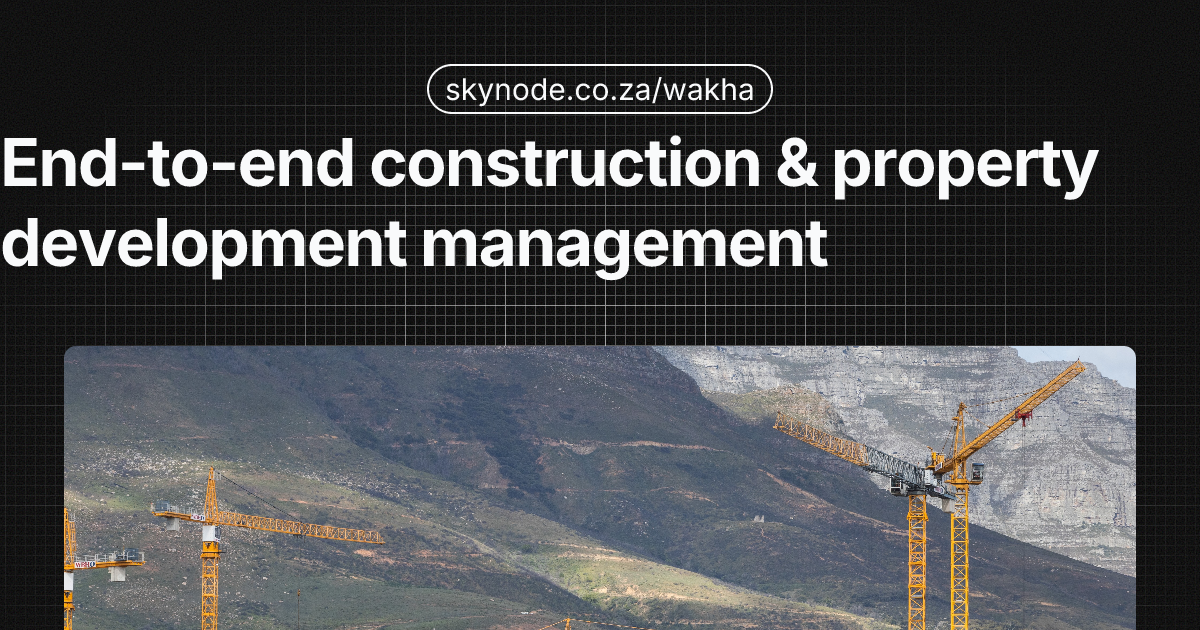
Cost overruns on South African construction projects routinely wipe out margin. When a R5 million project runs 5% over budget, a 15% margin can collapse to nothing. The cause is rarely a single bad decision; it is usually poor visibility. Builders discover they are over budget only after costs are committed. Proper construction budget management would surface those overruns early, but most teams still rely on spreadsheets that multiple people edit, with no single source of truth and no link to payment certificates or compliance.
Construction budget management software exists to fix that visibility gap. Most South African builders nevertheless start with spreadsheets for budget management: familiar, free, and seemingly sufficient until the first major overrun. This guide explains why spreadsheets fail for construction budget management, what the right approach looks like, and how dedicated software can keep costs under control.
Why Spreadsheets Are the Default, and Why That’s Dangerous
Spreadsheets feel safe. Everyone knows Excel. You can set up a budget template in minutes. It’s free (if you ignore the time spent fixing errors). And for small projects, spreadsheets might seem sufficient.
But construction projects aren’t small. They involve hundreds of line items, multiple cost categories, ongoing variations, and real-time decisions that affect profitability. When you’re managing a R5 million project with a 15% margin, a 5% cost overrun wipes out a third of your profit. Spreadsheets don’t give you the visibility or control you need to prevent that.
The Spreadsheet Trap
Builders fall into the spreadsheet trap because:
- Familiarity, Everyone knows Excel, so it’s the default choice
- Perceived cost, Spreadsheets seem free (ignoring the cost of errors and inefficiency)
- Flexibility, You can customise spreadsheets to match your workflow
- No learning curve, No need to learn new software
But these perceived advantages become disadvantages as projects grow in complexity and scale. What starts as a simple budget spreadsheet becomes a complex system of linked files, manual updates, and error-prone formulas.
Why Spreadsheets Fail for Construction Budget Management
Spreadsheets weren’t designed for construction project management. They lack the structure, automation, and real-time capabilities that construction budget management requires. Here’s why they fail:
Version Control Chaos
The biggest problem with spreadsheets is version control. When multiple people need to update the budget, site managers recording material costs, office staff updating labour hours, project managers tracking variations, you end up with multiple versions of the same file.
Common version control problems:
- Multiple copies, Budget_v2_final_updated.xlsx, Budget_v3_new.xlsx, Budget_actual.xlsx
- Lost updates, Someone’s changes overwrite someone else’s work
- Confusion, Nobody knows which version is current
- Errors, Working from outdated versions leads to wrong decisions
On a construction site, you need real-time budget visibility. If your site manager records R50,000 in material costs but the office is working from an outdated budget, you will not know you are over budget until it is too late. Overruns discovered at 80% completion often wipe out the entire profit margin.
Formula Errors That Cost Money
Spreadsheet formulas break. A single cell reference error can cascade through your entire budget, making every calculation wrong. And because spreadsheets don’t validate data entry, errors can go unnoticed for weeks.
Common formula errors:
- Broken references, Moving cells breaks formulas that reference them
- Circular references, Formulas that reference themselves create calculation errors
- Wrong cell ranges, SUM formulas that include wrong cells
- Copy-paste errors, Formulas copied to wrong cells
Formula errors that go unnoticed can reverse the apparent budget position (e.g. showing under budget when the project is actually over), turning a profitable project into a loss at completion.
No Real-Time Updates
Construction budgets need real-time updates. When material costs change, labour hours are recorded, or variations are approved, your budget should update immediately. Spreadsheets require manual updates, which means delays between when costs occur and when they’re reflected in your budget.
Update delays cause problems:
- Late visibility, You don’t know you’re over budget until weeks later
- Wrong decisions, Making decisions based on outdated information
- Missed opportunities, Can’t adjust quickly when costs change
- Reactive management, Reacting to problems instead of preventing them
On a construction site, costs happen daily. Material deliveries, labour hours, equipment rentals, all need to be tracked immediately. Spreadsheets can’t provide that real-time visibility.
Can’t Track Variations Properly
Variations are the lifeblood of construction profitability. When clients request changes, you need to track them separately from your base contract, calculate costs accurately, get approvals, and ensure payment. Spreadsheets make this difficult.
Variation tracking problems:
- Manual tracking, Each variation requires manual entry and calculation
- No approval workflow, Can’t track whether variations are approved or paid
- Mixed with base budget, Variations get mixed into base contract costs
- Lost variations, Variations forgotten or not properly documented
When variations are mixed with base contract costs, it becomes difficult to see what has been certified and paid. Underclaiming on variations is common and directly reduces profitability.
No Multi-Project View
Most builders manage multiple projects simultaneously. You need to see costs across all projects, which projects are profitable, which are over budget, where resources are allocated. Spreadsheets can’t provide that portfolio-level view.
Multi-project limitations:
- Separate files, Each project has its own spreadsheet
- No aggregation, Can’t see costs across all projects
- Manual consolidation, Requires manual work to combine project data
- No resource visibility, Can’t see resource conflicts across projects
Without a portfolio view, developers often discover that several projects are over budget only at month-end. By then, resources may already be committed to new work, creating cash flow pressure and delayed payments to suppliers.
No Compliance Integration
South African construction projects require compliance tracking, CIDB requirements, NHBRC inspections, B-BBEE procurement. These compliance requirements affect costs and timelines, but spreadsheets can’t integrate compliance tracking with budget management.
Compliance integration gaps:
- Separate tracking, Compliance tracked separately from budget
- No cost impact, Can’t see how compliance requirements affect costs
- Manual updates, Compliance status updated manually
- Missed deadlines, Compliance deadlines not linked to budget milestones
Limited Reporting and Analysis
Spreadsheets can generate reports, but it’s manual work. Creating variance reports, cost forecasts, or cash flow projections requires copying data, building formulas, and formatting, work that takes hours and is prone to errors.
Reporting limitations:
- Manual report creation, Hours spent building reports
- Error-prone, Copy-paste errors in reports
- No automation, Can’t schedule automatic reports
- Limited analysis, Difficult to analyse trends or patterns
Budget Management in a Regulated Environment
South African construction budget management sits inside a regulated framework. The CIDB Act ties contractor grading to project value; exceeding your grade threshold affects which tenders you can pursue and how you report. Project value is a budget and compliance concept, not just a commercial one.
Under JBCC, NEC, and GCC, progress payments and retention are certified against work done and contract value. Your budget must align with certified amounts and retention release so cash flow forecasts are realistic. The JBCC payment certificate guide explains how certification and payment timing work.
B-BBEE procurement targets affect tender eligibility and often have cost implications (preferred suppliers, verification). Budget tools that ignore these requirements force you to reconcile spreadsheets, certificates, and compliance in separate systems. For more on cost and schedule risk, see construction cost overruns in South Africa.
What Construction Budget Management Software Should Do
Dedicated construction budget management software is designed specifically for construction projects. It provides the structure, automation, and real-time capabilities that spreadsheets lack. Here’s what it should do:
Real-Time Cost Tracking
Construction budget software should track costs in real time. When material costs are recorded on site, labour hours are logged, or invoices are received, your budget should update immediately.
Real-time tracking features:
- Live updates, Budget updates as costs are recorded
- Mobile access, Site managers can record costs from mobile devices
- Immediate visibility, See budget status instantly
- Alerts, Automatic alerts when costs exceed budget thresholds
This real-time visibility lets you catch cost overruns early, when they’re still manageable. Instead of discovering a R200,000 overrun at month-end, you see it happening in real time and can take corrective action.
Variation Management
Construction budget software should handle variations properly. It should track variations separately from base contract costs, calculate costs accurately, manage approval workflows, and ensure proper payment.
Variation management features:
- Separate tracking, Variations tracked separately from base contract
- Cost calculation, Automatic calculation of variation costs
- Approval workflow, Track variation approval status
- Payment tracking, Track which variations are paid
- Variation reports, Reports showing all variations and their status
Proper variation management ensures you claim all recoverable costs and get paid for client-requested changes.
Multi-Project Dashboards
Construction budget software should provide portfolio-level visibility. You should be able to see costs, profitability, and resource allocation across all projects in one dashboard.
Multi-project dashboard features:
- Portfolio view, See all projects in one dashboard
- Cost aggregation, Total costs across all projects
- Profitability analysis, See which projects are profitable
- Resource allocation, See where resources are allocated
- Trend analysis, Identify cost trends across projects
This portfolio view helps you make informed decisions about resource allocation, project prioritisation, and business strategy.
Rand Budgeting and Currency Management
South African builders work in R, but material costs fluctuate with currency movements. Construction budget software should handle Rand budgeting, track currency impacts, and manage material price inflation.
Rand budgeting features:
- R currency, Native R support
- Currency tracking, Track currency impacts on imported materials
- Price inflation, Track material price inflation over time
- Price updates, Update material prices regularly
- Escalation clauses, Track material price escalation in contracts
Integration with Payment Certificates
South African construction projects use payment certificates (JBCC, NEC, GCC contracts). Construction budget software should integrate with payment certificate workflows, tracking certified amounts against budget and costs.
Payment certificate integration:
- Certificate tracking, Track payment certificates and amounts
- Certified vs actual, Compare certified amounts against actual costs
- Retention tracking, Track retention amounts and release dates
- Payment forecasting, Forecast when payments will be received
- Cash flow integration, Link certificates to cash flow forecasting
Cost-to-Complete Forecasting
Construction budget software should forecast final project costs based on current performance. This helps you identify projects at risk of overruns early and take corrective action.
Cost-to-complete forecasting:
- Performance-based forecasting, Forecast based on current cost performance
- Trend analysis, Identify cost trends that affect final costs
- Risk identification, Identify projects at risk of overruns
- What-if analysis, Model different scenarios and their cost impact
BOQ Integration
Many South African builders use Bills of Quantities (BOQ) for estimating. Construction budget software should integrate with BOQ systems, allowing you to import BOQs and track actual costs against BOQ quantities and prices.
BOQ integration features:
- BOQ import, Import BOQs from estimating software
- Quantity tracking, Track actual quantities against BOQ quantities
- Price variance, Compare actual prices against BOQ prices
- Usage analysis, Identify when material usage exceeds BOQ estimates
Compliance Tracking Integration
Construction budget software should integrate compliance tracking with budget management. NHBRC inspections, CIDB requirements, and B-BBEE procurement should be tracked alongside costs, with compliance costs reflected in budgets.
Compliance integration:
- Compliance tracking, Track compliance requirements and deadlines
- Cost impact, See how compliance requirements affect costs
- Integrated workflows, Compliance workflows integrated with budget management
- Reporting, Compliance status reports alongside budget reports
Why Current Tools Fail
Spreadsheets are only one part of the problem. Generic accounting software (e.g. Xero, QuickBooks, Pastel) handles invoicing and ledgers but not construction budget management: no BOQ vs actual, no variation workflows, no payment certificate or retention tracking, and no cost-to-complete forecasting. Budget and contract status live outside the ledger.
US or European construction platforms (e.g. Procore, Aconex) are built for different contract norms and currencies. They rarely support JBCC or GCC progress certificates, B-BBEE procurement, or R natively, and they assume stable connectivity. South African builders need construction budget management software that understands local contracts, compliance, and the realities of building here. For comparisons tailored to SA, see construction ERP options for South African builders.
Practical Application: Construction Budget Management Software in Action
Consider a mid-size contractor running a R8 million JBCC project with a 12% margin. The contract has monthly payment certificates, 10% retention, and several approved variations. With spreadsheets, the team tracks the base budget in one file, variations in another, and certified amounts in email or a third sheet. Cost to complete is a manual guess.
With construction budget management software, the base contract, variations, certified amounts, and retention are in one place. The dashboard shows budget vs actual vs certified, so the contractor sees that R1.2m in variations is approved but only R800,000 has been certified. Cost-to-complete runs from actuals and trend, so they can flag a potential R150,000 overrun before the next certificate. Cash flow is tied to certificate dates and retention release, as in construction cash flow management for South African builders. That level of visibility is what prevents margin erosion.
Who This Is For
Construction budget management software benefits residential builders (CIDB 1–6) who need to control costs on a few projects and stay within NHBRC and grading limits. It helps commercial contractors running multiple JBCC or NEC projects where variations, retention, and payment certificates drive both budget and cash flow. Property developers managing phased developments use it to keep feasibility, construction spend, and handover costs aligned. If you are moving off spreadsheets and want one place for budget, variations, certificates, and compliance, the right construction budget management software is built for that.
Comparison: Spreadsheet vs Construction Budget Software
| Area | Spreadsheets | Construction budget management software |
|---|---|---|
| Version control | Multiple copies, lost updates, unclear current version | Single source of truth, real-time updates |
| Visibility | Manual updates, delayed budget view | Real-time updates, mobile cost entry |
| Variations | Manual tracking, mixed with base budget, no approval workflow | Separate tracking, approval workflow, payment tracking |
| Multi-project | Separate files, manual consolidation | Portfolio dashboard, cost aggregation, profitability view |
| Reporting | Manual, error-prone, time-consuming | Automated reports, variance and trend analysis |
| Compliance | Tracked separately from budget | Compliance and cost impact in one place |
| Errors | Formula and version errors cost money | Validated entry, automated calculations |
Frequently Asked Questions
Can’t I just use a better spreadsheet template?
Better templates reduce some errors but do not fix version control, real-time visibility, or multi-project aggregation. Construction budget management software provides automation and integration that templates cannot.
How much does construction budget management software cost?
Typical range is R2,000–R7,000 per month depending on features and project count. Plans that include single-project budget management start around R2,500/month; multi-project portfolio management often sits in the R6,000–R7,000/month range.
Do I need software if I only manage one project at a time?
Yes. Single projects still benefit from real-time cost tracking, variation management, cost-to-complete forecasting, and alignment with payment certificates. These reduce the risk of overruns and improve margin control.
Conclusion
Spreadsheets dominate construction budget management by habit, but they were not designed for it. They lack real-time visibility, proper variation handling, multi-project view, and integration with payment certificates and compliance. Dedicated construction budget management software addresses that. It gives you one place for budget vs actual, variations, certificates, retention, and cost to complete, so overruns show up early and margin is protected.
For South African builders and developers, the cost of spreadsheet-driven errors often exceeds the cost of construction budget management software. The real question is whether you can afford to keep relying on spreadsheets.
See how Wakha helps South African builders manage construction budgets, variations, and cash flow from one platform, from feasibility to handover.
Written by
Wakha Team